



Key Takeaways
StockMaster NZ’s Tracker and Step-Thru serve different access needs. The Tracker is an all-terrain mobile work platform for performing tasks at height. The Step-Thru is an all-terrain stair access platform for reaching elevated areas; it is not designed for working from.
- Choose the Tracker when you need a mobile platform to perform tasks at height.
- Choose the Step-Thru when you need stair access to an elevated area, then carry out work from a suitable surface there.
- Assess ground conditions, slopes, overhead hazards and changes in weather before using either product.
- Follow the model-specific instructions and safety requirements, and complete checks before use.
- Plan operator familiarisation, maintenance and the right ownership or hire arrangement.
Where the Tracker and Step-Thru are useful
StockMaster NZ’s Tracker and Step-Thru address distinct access requirements across construction, agriculture, maintenance and industrial sites. The Tracker is a mobile work platform for carrying out tasks at height across suitable varied surfaces. The Step-Thru provides stair access to elevated areas and is not a platform for performing work from. Assess the task and site, and check the product instructions to confirm suitability.
Construction and infrastructure projects
Construction and infrastructure sites can have changing surfaces, tight access routes and several work areas. The Tracker can be repositioned between suitable locations for tasks at height. The Step-Thru can provide stair access to an elevated area where access is needed, but workers must not perform tasks from it. Assess the route and set-up area first, and check that ground and working conditions meet the product instructions.
See StockMaster’s Tracker and Step-Thru access platforms to compare options for your site and application.
Rural properties and agricultural work
Rural work can involve longer distances, gravel, grass and other varied surfaces. The Tracker is designed to provide a mobile work platform for suitable tasks across varied surfaces. The Step-Thru provides stair access to elevated areas on a suitable site; it is not for working from. Check for soft ground, slopes, uneven patches and obstructions before moving or setting up either product.
Maintenance across varied sites
Maintenance jobs are often spread across a building, yard or property. Use the Tracker when a mobile work platform is needed to perform tasks at height. Use the Step-Thru only to access an elevated area by its stairs, not as a work platform. Select the right product for the task and use it within its stated limits.
Choosing between the Tracker and Step-Thru
Start by identifying whether the job requires a platform to work from or stair access to an elevated area. The Tracker is designed for performing tasks at height from a mobile work platform. The Step-Thru is designed for ascending to elevated areas and is not for performing work from. Check the product instructions against the route, surface and intended use, and plan how the unit will be moved and positioned.
Tracker: an all-terrain mobile work platform
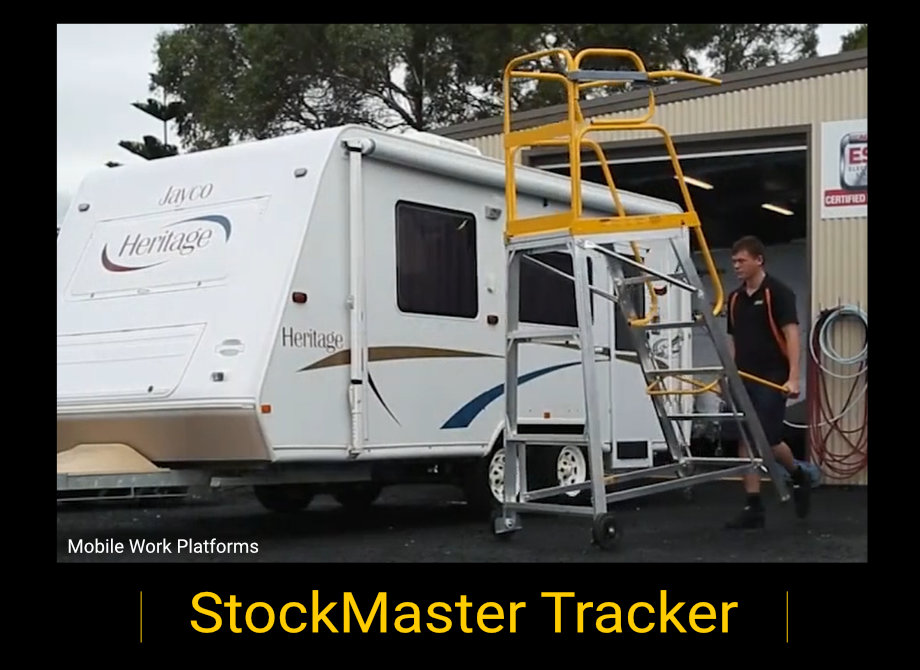
The Tracker is an all-terrain mobile work platform NZ businesses can use to perform tasks at height across suitable varied surfaces. Its mobility helps teams reposition the platform between work areas. Check the specific model’s features, operating limits and safe-use instructions before selecting it for a job.
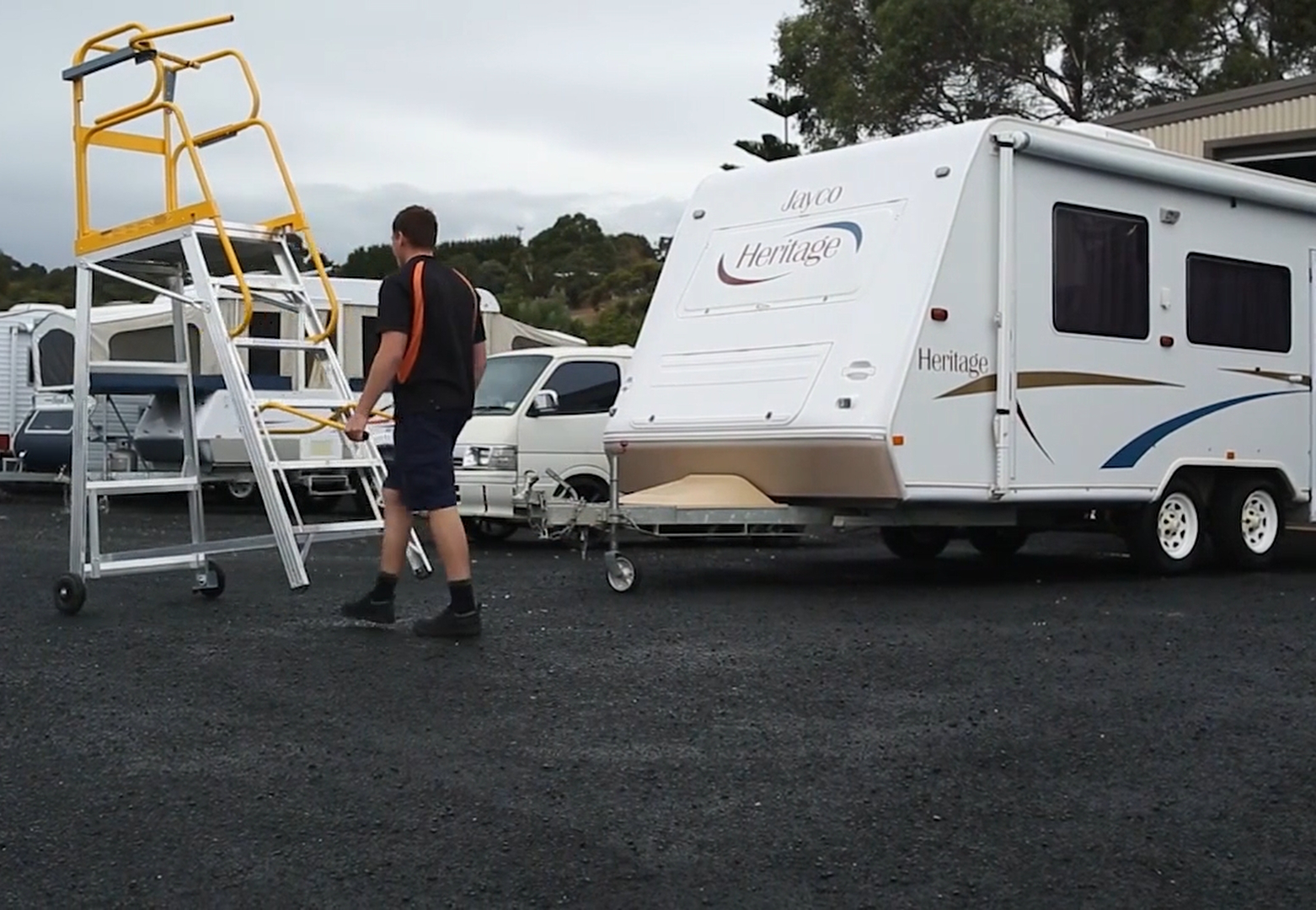
Step-Thru: stair access to elevated areas
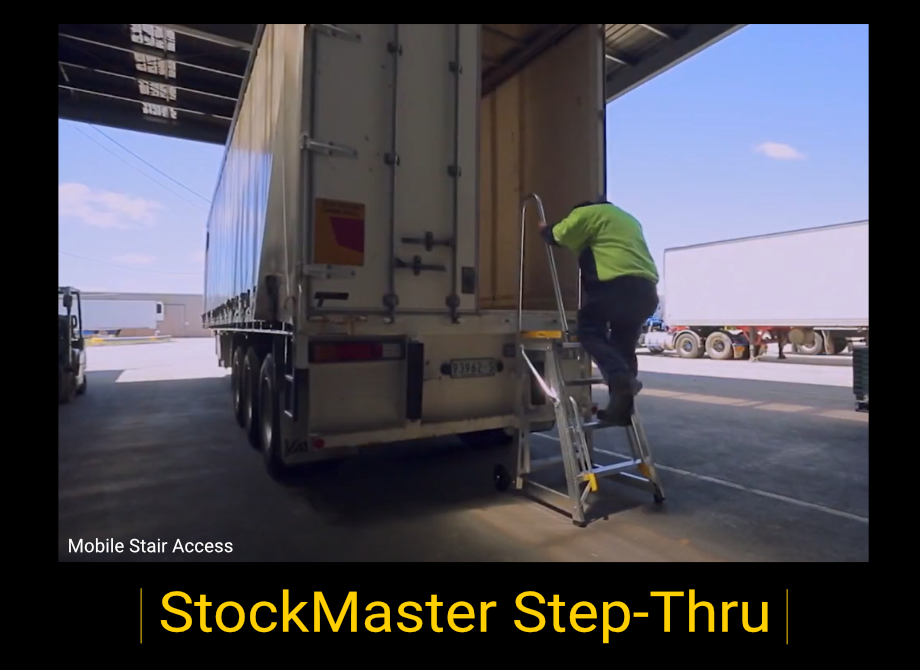
The Step-Thru is an all-terrain stair access platform for reaching elevated areas. Its purpose is to provide stair access, not a place to perform work from. Once at the elevated area, carry out tasks from a separate, suitable work surface using equipment intended for that work. Follow the Step-Thru instructions for access, positioning and use.

Movement, positioning and safety
Both products need to be moved and positioned in line with their specific instructions. Plan the route and check that the unit can be manoeuvred safely. Use the specified safety features and make sure it is correctly positioned before use. Do not move a unit with someone on it unless the manufacturer’s instructions specifically allow it.
How to assess the worksite
A site assessment helps establish whether the Tracker can reach the task as a work platform or whether the Step-Thru can provide stair access to an elevated area. Walk the route and inspect the work area, including surface changes, gradients, overhead clearance and exposure to weather. Record any conditions that may affect movement, positioning or safe use.
Ground conditions, gradients and access routes
Check the whole route and the intended set-up area for soft or uneven ground, loose material, slopes, edges and obstructions. Confirm the route is wide enough for the product and provides adequate turning space. Compare your findings with the specific model’s instructions; all-terrain design does not mean every surface or gradient is suitable.
A simple site record can help you compare the product with the conditions before use. Flag anything uncertain for assessment by a competent person or discussion with StockMaster NZ.
Use the assessment to confirm whether the surface, route and set-up area suit the selected product. If conditions are uncertain, resolve them before use rather than relying on appearance alone.
Working height, access and overhead hazards
For the Tracker, identify the height of the task and confirm it is within the model’s operating limits. Ensure workers can complete the job without overreaching or standing on parts not intended for that purpose. For the Step-Thru, assess the elevated area to be accessed; do not use the Step-Thru as a work platform. Look for overhead services, structures and moving equipment, and plan a safe route and position clear of hazards.
Weather and changing site conditions
Outdoor conditions can change during the day. Rain, wind, poor visibility or softening ground may affect movement and safe use. Follow the manufacturer’s instructions and site procedures, and agree when use should pause if conditions change.
What to consider when comparing the platforms
Compare the Tracker and Step-Thru by their different purposes, not as interchangeable work platforms. The Tracker is for performing tasks from a mobile work platform; the Step-Thru is for stair access to elevated areas and is not for working from. Review the instructions for the exact model, including operating limits, movement, set-up and safety features.
Platform capacity and intended use
For the Tracker, include workers, tools and materials in the total load and compare it with the model’s stated rating and any other restrictions. Use the Step-Thru only as instructed for stair access, and observe any model-specific capacity limits. Do not treat the Step-Thru as a work platform or carry out tasks from it.
Wheels, movement and surface suitability
Wheel design and manual steering affect how a product can be moved around a site, but do not guarantee suitability for every surface. Check the manufacturer’s guidance for surface and gradient limits, and inspect the route before moving the unit. The Tracker is designed for practical repositioning across varied surfaces; check its product information and instructions for details about the specific model. Use the Step-Thru for access only, as directed.
Transport and storage
Plan how each product will be delivered, moved to the intended access point and stored when not in use. Check access dimensions, handling requirements and available storage space before it arrives. Make sure the team understands how to move and secure it as set out in the product instructions.
How to plan for safe operation in NZ
Safe use requires suitable equipment, a considered site plan and people who understand the product’s purpose. Before starting, review the manufacturer’s instructions, your workplace procedures and relevant WorkSafe guidance. For the Tracker, plan the task and work position. For the Step-Thru, plan stair access to the elevated area and use separate suitable equipment for any work to be performed there.
Operator training and familiarisation
Make sure operators are suitably trained for the task and familiar with the specific Tracker or Step-Thru model. Cover how to move and position the product, its safety features and operating limits, and what to do if a hazard or fault is identified. Ensure users understand that the Tracker is for performing tasks from its work platform, while the Step-Thru is for stair access only and must not be used as a place to work from.
Pre-use checks and ongoing maintenance
Complete pre-use checks in line with the manufacturer’s checklist. Look for damage, wear, loose or missing components and any issues affecting movement or stability. Check the wheels, brakes or locking features where fitted, structure, access components, guardrails and other safety features as applicable to the model. Record and report faults, and do not use a product that may be unsafe until it has been assessed and made safe.
WorkSafe guidance and emergency planning
Use current WorkSafe guidance alongside the product instructions and your workplace procedures. Before use, agree how workers will communicate, stop the task and respond to a fault, injury or changing site condition. Ensure everyone involved knows who to contact and what steps to follow.
Buying access equipment versus hiring from another provider
Businesses can compare purchasing access equipment with hiring from an independent equipment hire company. StockMaster NZ supplies access equipment for purchase; it does not provide equipment hire. Buying may suit businesses with regular, recurring access needs, while hiring from another provider may be worth considering for a short-term or occasional requirement.
When comparing options, consider the intended task, site conditions, availability, delivery costs, maintenance responsibilities and expected frequency of use. Choose the Tracker for tasks performed from a mobile work platform, or the Step-Thru when stair access to an elevated area is required.
Compare purchase costs with external hire costs
When deciding whether to purchase equipment or hire from another provider, compare the total costs over the expected period of use. Consider:
- Purchase price compared with the hire rate and any minimum hire period.
- Delivery, collection and transport costs.
- Servicing, repairs and replacement parts for purchased equipment.
- Storage, inspections and ongoing maintenance.
- Potential downtime and the availability of alternative equipment.
StockMaster NZ can help you identify equipment suited to your access requirements. For hire pricing and availability, contact an independent equipment hire provider.
Check supplier support, servicing and parts availability
Ask what support is available during the intended period of use, how faults are handled and whether routine maintenance can be arranged. Clarify responsibilities before hire or purchase, including who organises repairs and what happens if the product is taken out of service.
Match the agreement to project duration and workload
If hiring from another provider, confirm the booking dates, delivery arrangements, extension terms and return conditions. If purchasing, consider how often the product will be needed and whether your business can manage storage and maintenance.
Conclusion
StockMaster NZ’s Tracker and Step-Thru meet different access needs. The Tracker is an all-terrain mobile work platform for performing tasks at height across suitable varied surfaces. The Step-Thru is an all-terrain stair access platform for reaching elevated areas, not for working from. Assess the site, follow the model-specific instructions and choose the product that matches the intended use. Contact StockMaster NZ to discuss your access requirements.
Frequently Asked Questions
What is the Tracker?
The Tracker is StockMaster NZ’s all-terrain mobile work platform for performing tasks at height. Check the specific model’s instructions to confirm it is suitable for the surface and task.
What is the Step-Thru?
The Step-Thru is an all-terrain stair access platform for accessing elevated areas. It is not designed for performing work from; use suitable equipment at the elevated area for any tasks.
What is the difference between the Tracker and Step-Thru?
The Tracker provides a mobile work platform for carrying out tasks at height. The Step-Thru provides stair access to an elevated area and must not be used as a work platform. Choose according to whether the job needs a platform to work from or stair access only.
Can the Tracker or Step-Thru be used on a slope?
That depends on the specific product and the slope. Check the manufacturer’s stated limits and assess the surface and set-up area before use. Do not assume all-terrain design means a product is suitable for every gradient.
What should I include when checking capacity?
For the Tracker, include everyone on the platform as well as tools and materials. Compare the total load with the rated capacity and follow any additional restrictions in the product instructions. Use the Step-Thru only for stair access and observe its model-specific limits.
What should I check before hiring a platform?
If hiring from an independent provider, confirm the equipment suits the intended task and site. Clarify delivery, hire dates, extension terms, maintenance responsibilities and how faults will be handled. Ensure operators understand the product’s permitted use.
What safety planning is needed before using either product?
Plan for operator familiarisation, pre-use checks, site hazards, safe movement and positioning, communication and emergency response. Follow current guidance, workplace procedures and the manufacturer’s instructions. Remember that the Step-Thru is for stair access, not for working from.
Is buying or hiring a product better?
It depends on how often the equipment is needed, the length of the work and the total costs involved. Compare the hire rate or purchase price alongside delivery, servicing, repairs, storage and the impact of downtime.